Showing posts with label mpi. Show all posts

Saturday, November 29, 2014

What are you doing for Grace Hopper Day???

UPDATE-01 (11/29/14): Originally posted 12/14/13, what follows is a description of what we did for CS ED Week, aka The Hour Of Code, aka Admiral Grace Murray Hopper Day, aka Lady Ada Lovelace's Birthday last year. This year we are doing much the same thing. Our goal here is twofold. (1) Promote Computer Science Education in general. (2) Recruit more students for the APCS class next year!

UPDATE-02 (12/1/14): Last year was based on this Hour Of Code Tutorial from codehs.com. This year I'd like to try this or this tutorial from code.org. I'm having a problem with the new tutorials. They load fine at home, but take forever to load in school. So, I'm downloading the whole thing to run locally on each of my student PCs! I used the following commandline to download the webste recursively, 
wget -mirror -r --html-extension -convert-links http://studio.code.org/hoc/1

UPDATE-03 (12/5/14): I'm not getting very far with code.org as yet. I'd like to do the code.org tutorials with my AP classes as they saw the codehs.com tutorials last year. Also, code.org has an Angry Birds tutorial and and a Disney's Frozen tutorial. So, I can do one in the morning with AP Calculus and the other in the afternoon with AP Computer Science as I have some of the same students in each. For students who have not done The Hour of Code with me, codehs.com's Karel the Dog is an easier intro. Codehs.com has two new tutorials. One is on mySQL and Harry Potter which is a little dry. The other is on making graphics with JavaScript which is a little challenging. I also like the code.org tutorials because they feature experts in the video tutorials like Bill Gates and Mark Zukerburg teaching about if/then/else branches and repeat/until loops! Here's some videos from code.org:

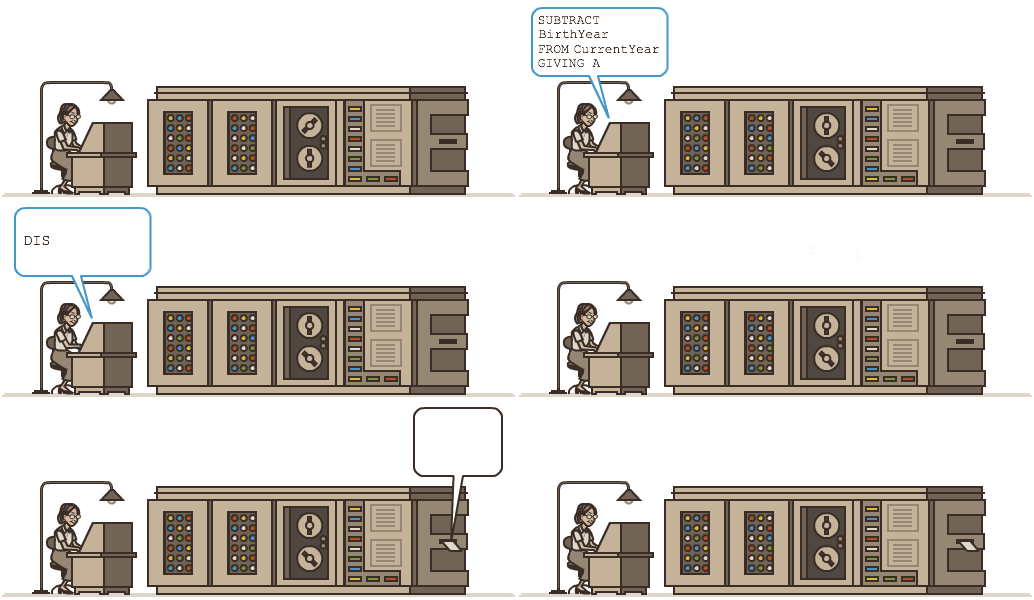
UPDATE-04 (12/8/14): Here's what we did today!

(original post from 12/14/13:)
Here's what I did for the #HourOfCode
(1) I registered myself as a presenter of an Hour Of Code, http://csedweek.org
(2) I registered all my classes for a tutorial do be done during said hour, http://code.org
(3) I presented the following info during that hour on Monday 12/9/2013:
http://www.cbsnews.com/videos/the-captain-is-a-lady/


Admiral Grace Murray Hopper is one of my personal idols! Not only did she usher in the entire industry of Software Engineering but she single handedly invented Computer Programming Languages and Compilers! She was a Math Professor, a Naval Officer, the developer of COBOL and an all around class act! 


Grace Hopper's birthday was Monday 12/9. To honor her memory, I registered all my classes for an Hour Of Code. Maybe you'd like to participate as well? The Hour Of Code is about exposing as many students as possible to Computer Science in all disciplines. I'm making this presentation during course selection week as well to encourage students to take Computer Science at my High School! Due to budget cuts, teacher layoffs, large class sizes and canceled electives, I'm recommending Honors 9th Graders take AP Computer Science next year. I used to recommend an intro course, but I can't anymore.... 


CSEDWEEK was an unprecedented international effort. Over 15,000,000 students at more than 30,000 locations (mostly schools) in nearly 200 countries were registered to participate sometime during last week and wrote more than 500,000,000 lines of code!


I teach Computer Science and see it as a great tool in all disciplines. It's a shame that more students don't take Computer Science in High School. Taking Computer Science can lead to a great major in college and a great profession! I also use Computer Science in all my Math and Science courses in High School and College! 


I've been teaching people how to code since 1975. I've also been teaching AP Computer Science at the High School level since 1984. Finally, I've been teaching computing at the College level since 1993. Needless to say, I'm a vehement advocate for a strong Computer Science Education in particular and a challenging STEM curriculum in general for every High School student


In fact, every single class I teach, every single day of the week, is devoted to some aspect of STEM! STEM stands for "Science, Technology, Engineering and Math." Actually, I try to incorporate STEAM into my classroom: "Science, Technology, Engineering, Arts and Math." By Arts I do mean Art (fractals, 3D graphics, animation) but I also try to tie in plenty of History, Literature and Culture. 


Mine is one of the few High Schools in the USA to offer a Computer Science curriculum! CS50 at Harvard, see playlist above, covers a lot of the same material we cover here at Baldwin Senior High in my AP Computer Science class. They use Scratch, C, php and JavaScript whereas we use Python, SAGE, MPI and Java, but the concepts are the same!


Sadly, the United States is falling far behind other countries in training professionals for jobs in the 21st Century that will require this skill more and more! So, in answer to this growing demand, here's what I teach (in addition to Math and Science):

Intro to Computer Science (python):


AP Computer Science A (java):


CIS: Computing Independent Study 
(MPI with FORTRAN, C, C++ and python):


Calculus Research Lab (SAGE):
aka Scientific Computing Lab (Octave):
aka Computing Science Lab (R): 


HOUR OF CODE Instructions for Monday's tutorial:
(1) Each student should go to http://codehs.com/hourofcode
(2) Sign up for CodeHS using this code: F2B9
(3) Start learning!

You will be completing a tutorial on programming for beginners. Fun will be had by all!

Course Selection Week DropBox!

Well, that's all folks.


Generally Speaking,

Thursday, January 16, 2014

CIS(theta) 2013-2014 January Meeting: Testing out code!

CIS(theta) 2013-2014 

January Meeting
Testing out code!
We searched the web for MPI tutorials and found some code to try out on our 96 cores. Take a look at our sample code in the DropBox link above. We compared serial vs. parallel samples of the same task, whether it be Quadrature or Fractal! Using the pelicanHPC DVD we have compilers for mpicc, mpiCC as well as mpif77. I don't know if we have mpif90. We can also use mpi4py without compiling! 

mpif77 = FORTRAN77
mpif90 = FORTRAN90
mpicc = C
mpiCC = C++
mpi4py = python

When we compiled, for example, FORTRAN77 code we used the mpif77 compiler on both the serial and parallel versions:
mpif77 -o fpi-serial fpi-serial.f
mpif77 -o fpi fpi.f

then to execute said code:
./fpi-serial
mpirun --hostfile ~/tmp/bhosts -np 96 ./fpi

If you want to test your code off the cluster and you have, say a quad-core, you can do:
mpirun -np 4 ./fpi

What's nice about mpi4py is that you can just execute your code:
mpirun -np 4 01-hello-world.py

Here's a promising site for sample *.f and *.c code!

Next meeting we are going to write our own mpi4py code to generate Mandelbrot Fractals!


December Meeting
Firing on all cores!
Today we booted up the entire LAN using the pelicanHPC 64bit 2.9 with mpi4py DVD! We finally got up to 24 nodes with 96 cores and nearly 50 GFLOP/s!! Great job guys!!! Now we have to decide if we are going to install a native MPI stack. We also need to research sample MPI code online to learn how to program the cluster in FORTRAN77, C, C++ and python. We used the code above, which estimates pi using Reimann Sums and arctan(x), to stress the cluster. BTW, we don't have 100 cores as my PC is on another logical subnet and its only dual core anyway.
To compile:
mpif77 -o flops flops.f
To execute
mpirun -np 96 --hostfile ~/tmp/bhosts flops


November Meeting II
Firing up the cluster for the first time!
We are trying to figure out if we can use a bootable Linux CD to boot up the cluster or if we want to add an MPI stack with public key authenticated sshd to our Ubuntu Desktop. So, we downloaded the pelicanHPC ISO, burned a DVD and got 17 compute nodes or 68 cores running at about 35 GFLOP/s! 

Hey, that's not too shabby, just 13 years ago, top500.org reports that all you needed were 50 cores running at 55 MFLOP/s to make the list of one of the 500 fastest clusters in the world! We may even get up to 50 MFLOP/s if we get all 100 cores up and running. 

So, we're looking at pelicanHPCBCCD and ClusterByNight for MPI. We used to run clusterKNOPPIXBCCD and Quantian with openMOSIX. Too bad openMOSIX isn't supported anymore. It was so easy to code for MOSIX. In C or C++ all you had to do was use the fork() function to start a new process. openMOSIX ran in the Linux Kernel. Whenever your processes came close to using 100% of you CPU, MOSIX would automagically send one of your forked jobs to another processor. When we started using MOSIX, we only had one core per PC, so that meant send the job to another PC on the LAN. In those days (late 1990s) we managed to run 100 cores anyway by taking over 4 PC Labs on my floor at school....

November Meeting I
Last Linux Install Fest!
We finally got the new 64bit Ubuntu 13.10 Saucy Salamader installed correctly on all student PCs. I'll upgrade my station at a later date. We got this down to a science: 
(1a) download latest ISO and burn 8 DVDs
(1b) install DVD with plain vanilla defaults
(2) edit eth0 connection
(3a) edit system settings/network/proxy
(3b) edit system settings/appearance
(3c) edit system settings/brightness
(3d) edit system/settings/printers
(4) edit sources to main in USC
(5a) sudo apt-get update
(5b) sudo apt-get upgrade
(6a) USC install WINE and TIEMU
(6b) add TI89 and TI92 ROMs to TIEMU
(7a) download, extract and install TilEm
(7b) add TI83 and TI84 ROMs to TilEm
(8a) download and extract SAGE.lzma
(8b) echo "alias sage=$HOME/Desktop/SAGE/sage" >> ~./bashrc
(8c) source ~/.bashrc
(9) all we left on the desktop was the SAGE directory, a short cut to TilEm and our handy dandy Trig Table (see below)
(10a) to use TilEm, the students just click on the short cut
(10b) to use TIEMU and SAGE open a terminal and type "tiemu" or "sage" on a command line.
(11) I'll add TilEm and TIEMU to the start-up menu. I was going to add "sage -n" too, but I don't want FireFox hogging all my Desktops at bootup!

October Meeting II
Linux Install Fest Again!
I downloaded 8 copies the latest version of Ubuntu Desktop 32bit ISO: 13.10 Saucy Salamander. Then I burned 8 DVDs and reinstalled the Linux partition on the second row of 8 PCs in our classroom. The geek squad did all the tweaks this time! 

We are having a massive problem with VTI running under WINE. It's so slow as to be unusable. We have to figure out a solution. Maybe 13.04 is better? Or maybe I can get WINE's direct ppa and use their latest version?

Another problem is that we have a SAGE directory on the Desktop extracted from the latest compiled version of SAGE. In there we have a SAGE bash script. I usually make it executable and students can just click it to run SAGE. In 13.10, the script will not execute, the script just opens in gedit even though I made the file executable. I even ran "which bash" to see if bash moved (it did) so I could update the #! line but still no joy!

How about an alias like:
echo "alias sage=$HOME/Desktop/SAGE/sage" >> ~/.bashrc

then:
source ~/.bashrc

October Meeting I
Linux Install Fest!
We downloaded 8 copies the latest version of Ubuntu Desktop 64bit ISO: 13.10 Saucy Salamander. Then we burned 8 DVDs and reinstalled the Linux partition on the first row of 8 PCs in our classroom. I did all the tweaks the following day.

Next week I'll reinstall the 2nd row and the Geek Squad will do all the tweaks. I like to keep the Student Stations very simple. So, we will only tweak as follows:
(1) configure Network (eth0, proxy)
(2) configure Appearence and Brightness 
(3) configure Printers
(4) sudo apt-get update (after setting sources to main).
(5) sudo apt-get upgrade
(6) install WINE
(7) copy VTI to the desktop
(8) extract SAGE to the desktop

September Meeting I
Administrativa!
(1) Wreath of the Unknown Server: We visited our first ssh server, Colossus, which is still in the switch room though dormant. I set it up for the first time in 1995 running Slackware Linux. Colossus ran for 12 years straight, 24x7 never having to shut down, reboot or even have anything re-installed!

(2) Display Case Unveiled: We took down a ton of fractal prints and ray tracings from Room 429 to the 2 cases on the 1st floor near the art wing. We decorated both cases as best we could and left before anyone saw us. Must have been gremlins.

(3) Recruiting: We decided that we have more than enough qualified CIS(theta) members for this year's Geek Squad, so we tabled that topic.

(4) Planning: We have to wait another 2 weeks 10/4 at which point Ubuntu 13.10 Desktop Edition should be available for a mini install fest. After that, we may use bootable cluster Linux CD distros such as BCCD and pelicanHPC to learn MPI using C++ or Python. We also talked about installing an MPI stack on each hdd along with public key authenticated ssh. We would like to make a fractal zoom animation.

(5) Summary: This year's CIS(theta) team is off to a good start. Shadowfax, our 100 core cluster, is in good hands!

==================================
What we are researching IV (Jan):MPI
==================================
What we are researching IV (Dec):MOSIX
==================================
What we are researching III (Nov)
==================================
What we are researching II (Oct)
==================================
What we are researching I (Sept)
Thomas Jefferson High courses
Thomas Jefferson High paper
Thomas Jefferson High ftp
Thomas Jefferson High teacher
==================================
Daily Attendance:
CIS(theta) 2013-2014: Tati absent

BiWeekly Topic:
CIS(theta) 2013-2014 - Testing out code! 

Monthly Reading:
Chapter 5: Building Parallel Programs (JAN)
Chapter 4: Building Parallel Programs (DEC)
Chapter 3: Building Parallel Programs (NOV)
Chapter 2: Building Parallel Programs (OCT)
Chapter 1: Building Parallel Programs (SEP)
==================================
Membership (alphabetic by first name):

CIS(theta) 2013-2014: BryanS, CheyenneC, DanielG, HarineeN, RichardH, RyanW, TatianaR, TylerK

CIS(theta) 2012-2013: Kyle Seipp

CIS(theta) 2011-2012: Graham Smith, George Abreu, Kenny Krug, LucasEager-Leavitt

CIS(theta) 2010-2011: David Gonzalez, Herbert Kwok, Jay Wong, Josh Granoff, Ryan Hothan

CIS(theta) 2009-2010: Arthur Dysart, Devin Bramble, Jeremy Agostino, Steve Beller

CIS(theta) 2008-2009: Marc Aldorasi, Mitchel Wong

CIS(theta) 2007-2008: Chris Rai, Frank Kotarski, Nathaniel Roman

CIS(theta) 1988-2007: A. Jorge Garcia, Gabriel Garcia, James McLurkin, Joe Bernstein, ... too many to mention here!

==================================
Well, that's all folks!

Friday, December 20, 2013

CIS(theta) 2013-2014 December Meeting Firing on all cores!


CIS(theta) 2013-2014 

December Meeting
Firing on all cores!
Today we booted up the entire LAN using the pelicanHPC 64bit 2.9 with mpi4py DVD! We finally got up to 24 nodes with 96 cores and nearly 50 GFLOP/s!! Great job guys!!! Now we have to decide if we are going to install a native MPI stack. We also need to research sample MPI code online to learn how to program the cluster in FORTRAN77, C, C++ and python. We used the code above, which estimates pi using Reimann Sums and arctan(x), to stress the cluster. BTW, we don't have 100 cores as my PC is on another logical subnet and its only dual core anyway.
To compile:
mpif77 -o flops flops.f
To execute
mpirun -np 96 --hostfile ~/tmp/bhosts flops


November Meeting II
Firing up the cluster for the first time!
We are trying to figure out if we can use a bootable Linux CD to boot up the cluster or if we want to add an MPI stack with public key authenticated sshd to our Ubuntu Desktop. So, we downloaded the pelicanHPC ISO, burned a DVD and got 17 compute nodes or 68 cores running at about 35 GFLOP/s! 

Hey, that's not too shabby, just 13 years ago, top500.org reports that all you needed were 50 cores running at 55 MFLOP/s to make the list of one of the 500 fastest clusters in the world! We may even get up to 50 MFLOP/s if we get all 100 cores up and running. 

So, we're looking at pelicanHPCBCCD and ClusterByNight for MPI. We used to run clusterKNOPPIXBCCD and Quantian with openMOSIX. Too bad openMOSIX isn't supported anymore. It was so easy to code for MOSIX. In C or C++ all you had to do was use the fork() function to start a new process. openMOSIX ran in the Linux Kernel. Whenever your processes came close to using 100% of you CPU, MOSIX would automagically send one of your forked jobs to another processor. When we started using MOSIX, we only had one core per PC, so that meant send the job to another PC on the LAN. In those days (late 1990s) we managed to run 100 cores anyway by taking over 4 PC Labs on my floor at school....


November Meeting I
Last Linux Install Fest!
We finally got the new 64bit Ubuntu 13.10 Saucy Salamader installed correctly on all student PCs. I'll upgrade my station at a later date. We got this down to a science: 
(1a) download latest ISO and burn 8 DVDs
(1b) install DVD with plain vanilla defaults
(2) edit eth0 connection
(3a) edit system settings/network/proxy
(3b) edit system settings/appearance
(3c) edit system settings/brightness
(3d) edit system/settings/printers
(4) edit sources to main in USC
(5a) sudo apt-get update
(5b) sudo apt-get upgade
(6a) USC install WINE and TIEMU
(6b) add TI89 and TI92 ROMs to TIEMU
(7a) download, extract and install TilEm
(7b) add TI83 and TI84 ROMs to TilEm
(8a) downlaod and extract SAGE.lzma
(8b) echo "alias sage=$HOME/Desktop/SAGE/sage" >> ~./bashrc
(8c) source ~/.bashrc
(9) all we left on the desktop was the SAGE directory, a short cut to TilEm and our handy dandy Trig Table (see below)
(10a) to use TilEm, the students just click on the short cut
(10b) to use TIEMU and SAGE open a terminal and type "tiemu" or "sage" on a command line.
(11) I'll add TilEm and TIEMU to the start-up menu. I was going to add "sage -n) too, but I don't want FireFox hogging all my Desktops at bootup!

October Meeting II
Linux Install Fest Again!
I downloaded 8 copies the latest version of Ubuntu Desktop 32bit ISO: 13.10 Saucy Salamander. Then I burned 8 DVDs and reinstalled the Linux partition on the second row of 8 PCs in our classroom. The geek squad did all the tweaks this time! 

We are having a massive problem with VTI running under WINE. It's so slow as to be unusable. We have to figure out a solution. Maybe 13.04 is better? Or maybe I can get WINE's direct ppa and use their latest version?

Another problem is that we have a SAGE directory on the Desktop extracted from the latest compiled version of SAGE. In there we have a SAGE bash script. I usually make it executable and students can just click it to run SAGE. In 13.10, the script will not execute, the script just opens in gedit even though I made the file executable. I even ran "which bash" to see if bash moved (it did) so I could update the #! line but still no joy!

How about an alias like:
echo "alias sage=$HOME/Desktop/SAGE/sage" >> ~/.bashrc

then:
source ~/.bashrc

October Meeting I
Linux Install Fest!
We downloaded 8 copies the latest version of Ubuntu Desktop 64bit ISO: 13.10 Saucy Salamander. Then we burned 8 DVDs and reinstalled the Linux partition on the first row of 8 PCs in our classroom. I did all the tweaks the following day.

Next week I'll reinstall the 2nd row and the Geek Squad will do all the tweaks. I like to keep the Student Stations very simple. So, we will only tweak as follows:
(1) configure Network (eth0, proxy)
(2) configure Appearence and Brightness 
(3) configure Printers
(4) sudo apt-get update (after setting sources to main).
(5) sudo apt-get upgrade
(6) install WINE
(7) copy VTI to the desktop
(8) extract SAGE to the desktop

September Meeting I
Administrativa!
(1) Wreath of the Unknown Server: We visited our first ssh server, Colossus, which is still in the switch room though dormant. I set it up for the first time in 1995 running Slackware Linux. Colossus ran for 12 years straight, 24x7 never having to shut down, reboot or even have anything re-installed!

(2) Display Case Unveiled: We took down a ton of fractal prints and ray tracings from Room 429 to the 2 cases on the 1st floor near the art wing. We decorated both cases as best we could and left before anyone saw us. Must have been gremlins.

(3) Recruiting: We decided that we have more than enough qualified CIS(theta) members for this year's Geek Squad, so we tabled that topic.

(4) Planning: We have to wait another 2 weeks 10/4 at which point Ubuntu 13.10 Desktop Edition should be available for a mini install fest. After that, we may use bootable cluster Linux CD distros such as BCCD and pelicanHPC to learn MPI using C++ or Python. We also talked about installing an MPI stack on each hdd along with public key authenticated ssh. We would like to make a fractal zoom animation.

(5) Summary: This year's CIS(theta) team is off to a good start. Shadowfax, our 100 core cluster, is in good hands!
==================================
What we are researching IV (Jan):MPI
==================================
What we are researching IV (Dec):MOSIX
==================================
What we are researching III (Nov)
==================================
What we are researching II (Oct)
==================================
What we are researching I (Sept)
Thomas Jefferson High courses
Thomas Jefferson High paper
Thomas Jefferson High ftp
Thomas Jefferson High teacher
==================================
Daily Attendance:
CIS(theta) 2013-2014: Richard, Tyler absent

BiWeekly Topic:
CIS(theta) 2013-2014 - Firing up all cores! 

Monthly Reading:
Chapter 5: Building Parallel Programs (JAN)
Chapter 4: Building Parallel Programs (DEC)
Chapter 3: Building Parallel Programs (NOV)
Chapter 2: Building Parallel Programs (OCT)
Chapter 1: Building Parallel Programs (SEP)
==================================
Membership (alphabetic by first name):

CIS(theta) 2013-2014: BryanS, CheyenneC, DanielG, HarineeN, RichardH, RyanW, TatianaR, TylerK

CIS(theta) 2012-2013: Kyle Seipp

CIS(theta) 2011-2012: Graham Smith, George Abreu, Kenny Krug, LucasEager-Leavitt

CIS(theta) 2010-2011: David Gonzalez, Herbert Kwok, Jay Wong, Josh Granoff, Ryan Hothan

CIS(theta) 2009-2010: Arthur Dysart, Devin Bramble, Jeremy Agostino, Steve Beller

CIS(theta) 2008-2009: Marc Aldorasi, Mitchel Wong

CIS(theta) 2007-2008: Chris Rai, Frank Kotarski, Nathaniel Roman

CIS(theta) 1988-2007: A. Jorge Garcia, Gabriel Garcia, James McLurkin, Joe Bernstein, ... too many to mention here!
==================================
CIS(theta) DropBox!
==================================
Well, that's all folks!